Select Station...
To go to the Select Station Window, open the Network Setup and tap Add.
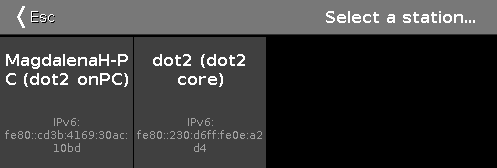 Figure: Select Station… Window
This window displays all available station in the network along with their IPv6 address.
To add a station into the session, tap at the respective tile.
To leave the Select Station Window, tap  or Esc on the console.
For more information, refer to What is a Network?