Pressing and holding MA in combination with other keys, provides shortcuts to other functions. There are two MA keys there – on both layouts of the console. They are identical and have the same function.
Pressing MA + Please sets the focus to the command line.
To check out the complete list of functions, see Keys.
Location
MA is located in the command section.
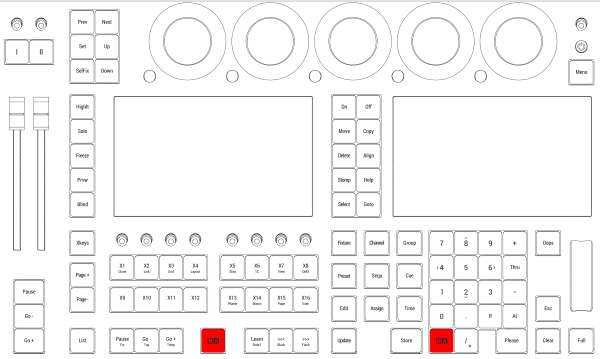
Location on grandMA3 full-size and grandMA3 light consoles
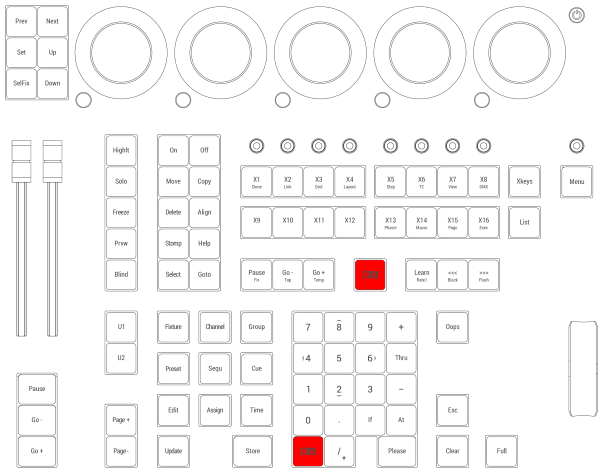
Location on grandMA3 compact consoles and grandMA3 onPC command wing