onPC Terminal App
The terminal app can be used to connect to the same station or any other grandMA3 station inside your network with the command line or the system monitor of the main app using the Terminal.
- To monitor the software of a connected network station, start the terminal app.
- To connect to the system monitor of a station in the network, enter: sysmon [IP Address]
grandMA3 Terminal App on Windows
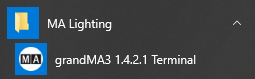
Section titled “grandMA3 Terminal App on Windows”In Windows®, the grandMA3 Terminal app can be found in the start menu in the folder MA Lighting after the grandMA3 onPC software is installed:
grandMA3 Terminal App on macOS
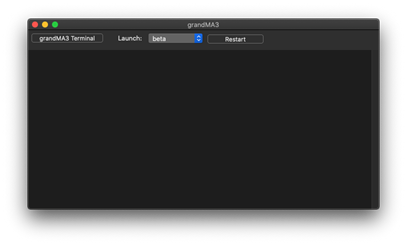
Section titled “grandMA3 Terminal App on macOS”In macOS®, click grandMA3 Terminal to start the grandMA3 Terminal after the granMA3 onPC software is installed:
Example:
Section titled “Example:”- Open the grandMA3 Terminal app on the computer.
- Enter sysmon 127.0.0.1 in the command section in the grandMA3 Terminal app. Press Enter.
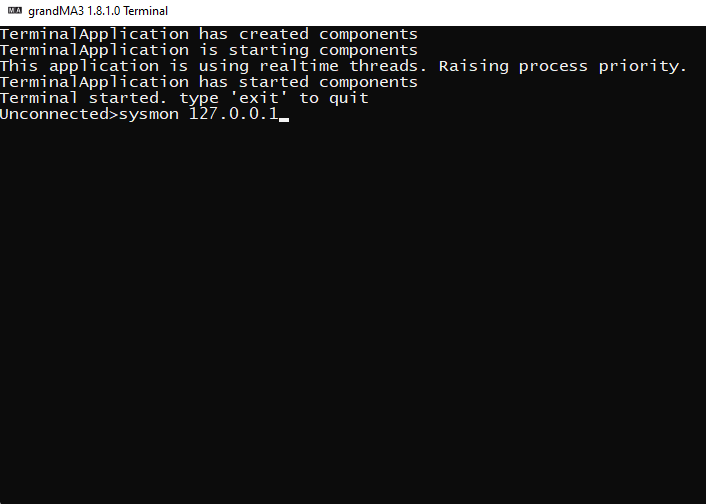
grandMA3 Terminal app with sysmon command
- The terminal app is now connected to the system monitor of the grandMA3 onPC that is running on the same computer.