Message Center
The message center displays messages produced by the system.
The envelope icon ( ) on the right side of the command line changes color to indicate new messages in the message center.
The icon is displayed in the color of the new message with the highest priority.
A number underneath the envelope icon indicates the number of new messages, excluding information messages.
The categories for messages are:
- System
- Command Line
- Power
- MA-Net
- USB
- Chat
USB and chat messages are specific to the device. They are not displayed on other devices in the session.
Messages have different priorities.
- **Information **(green): Information about internal system processes that generally don’t require user activity or input.
- Warning (yellow): Information that is important and should be taken care of.
- Error (brown): Information on invalid actions and malfunctions in the software.
- Alert (red): Information on critical events. Messages in the alert category generally require immediate action.
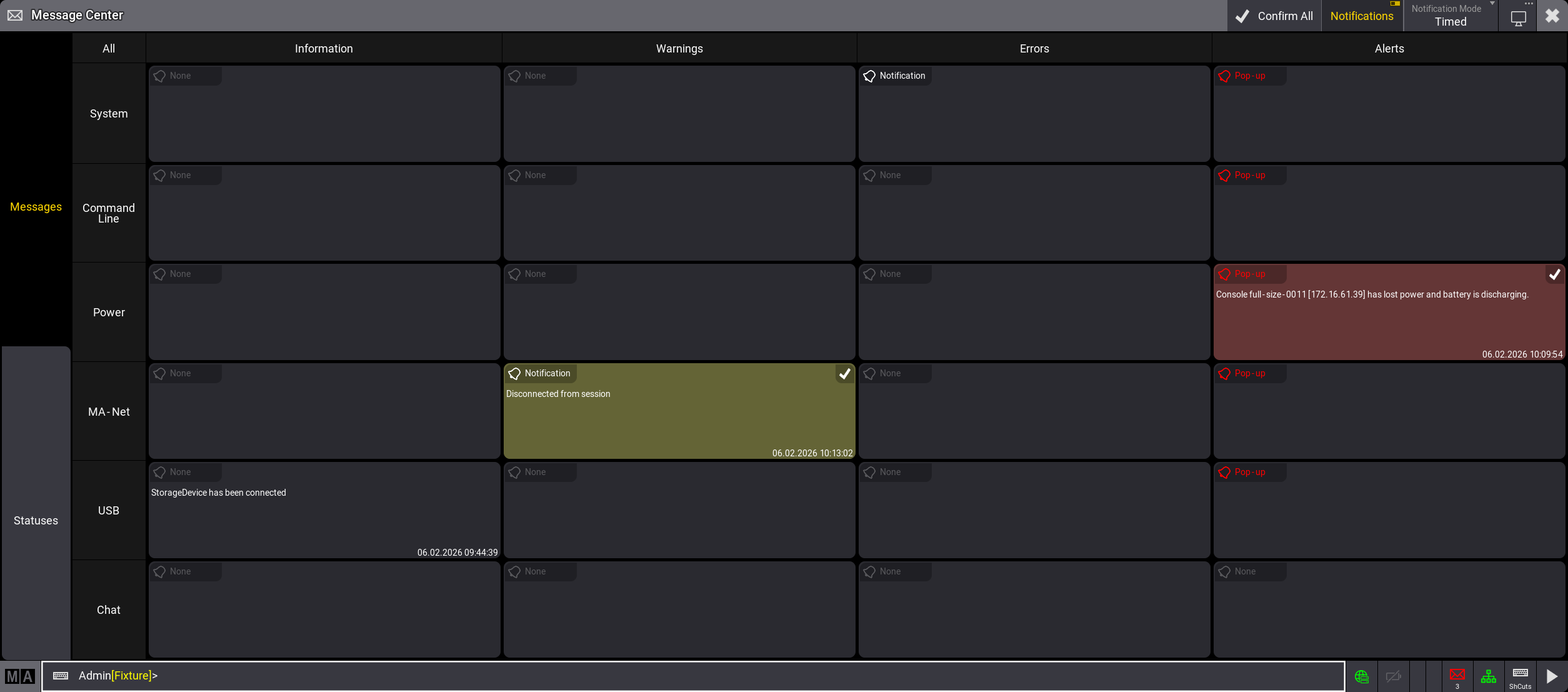
Main view of the message center