Backup and Template Show Files
Show files are categorized into multiple folders. Shows is where the regular saved show files are stored, in Backup Shows a show file is automatically generated when saving a show file. Demo Shows are the predefined show files by MALighting. See Demo Shows. Iin Template Shows predefined show files can be added by the user.
To load a backup file, a demo show file, or a template show:
- Open the Backup Menu and tap Load.
- Tap Shows to toggle between Shows, Backup Shows, Demo Shows and Template Shows.
- You can load a previously saved backup or a demo show.
 | Restriction: |
| It is not possible to save or create a new show file in the Backup Shows, Demo Shows, or Template Shows folder. |
-
Up to 10 backup files can be stored from the same show file. A backup is automatically generated when a show file is saved.
-
The name of a backup show file contains:
- Showfile Name
- Backup
- Date and Time in UTC format
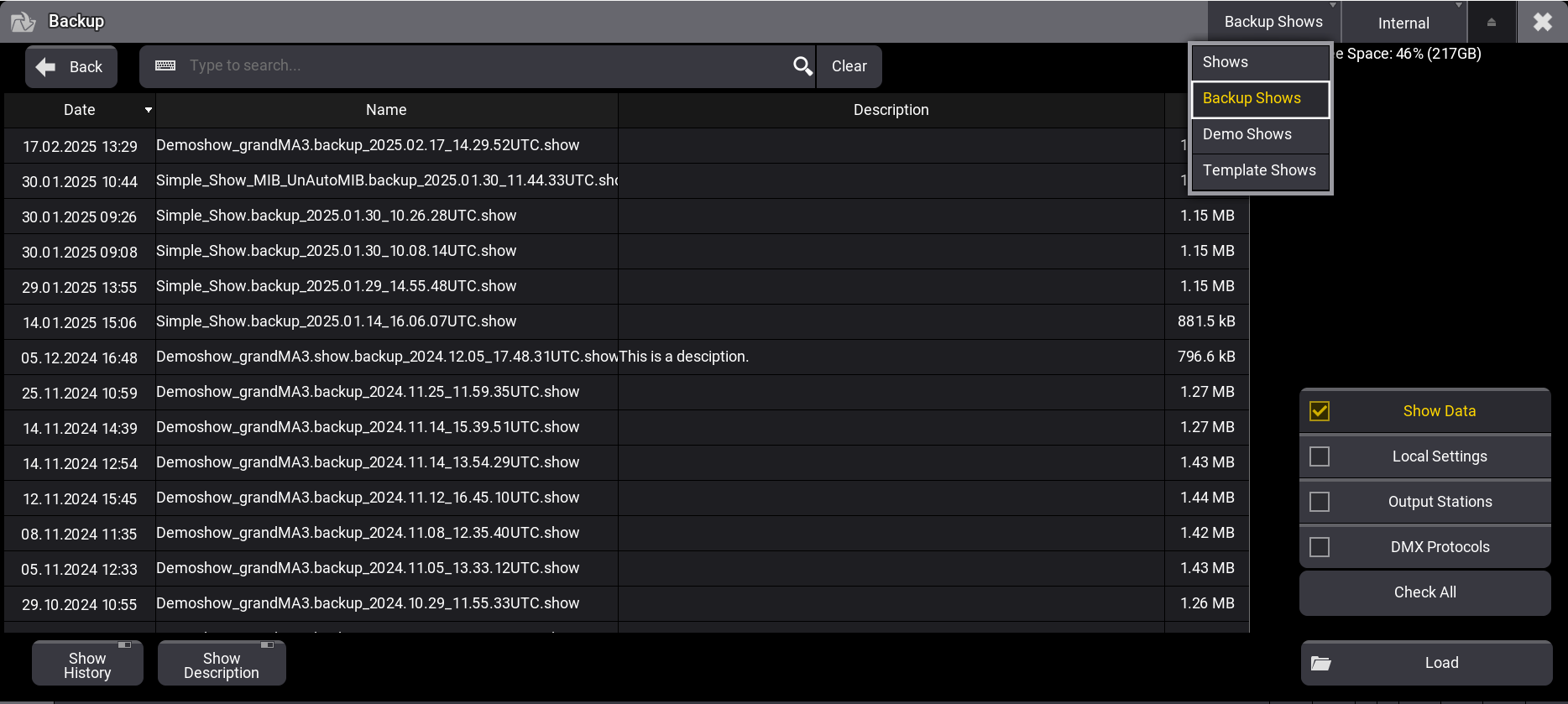
Backup Files
Template Shows
Section titled “Template Shows”To display show files in the Template Shows folder, the show file must be manually placed in a specific folder in the local device’s library. For more information, see Folder Structure.
To place an already saved show file into the template show folder on a grandMA3 console, use an external SFTP client. For more information, see SFTP Connection to a Console .