If there are values in the programmer, Clear behaves like this:
- Pressing Clear executes the ClearSelection keyword.
- Pressing Clear Clear executes the ClearActive keyword.
- Pressing Clear Clear Clear executes the ClearAll keyword.
If there are no values in the programmer, pressing Clear deletes unexecuted commands in the command line and executes the ClearActive keyword
Pressing and holding Clear executes the ClearAll keyword.
Pressing Clear, no matter how often, always displays a Clear in the Command Line Feedback.
For more information about Clear, see the Clear keyword.
Location
Section titled “Location”Clear is located in the command section.
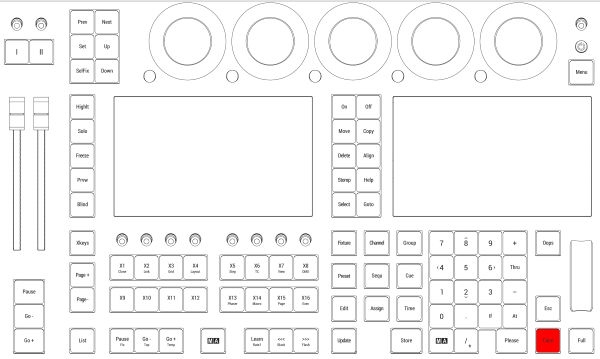
Location on grandMA3 full-size and grandMA3 light consoles
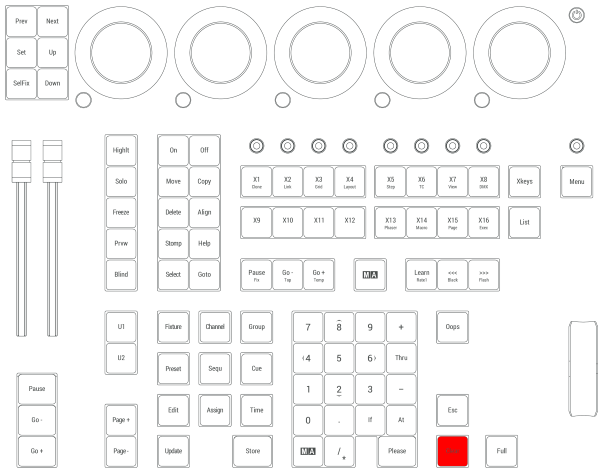
Location on grandMA3 compact consoles and grandMA3 onPC command wing