Multi Select
Section titled “Multi Select”To select multiple cells in a sheet, hold Ctrl and tap or click each cell.
Clean Start
Section titled “Clean Start”To perform a clean start, hold Ctrl when the mode selection pop-up appears during the boot or reboot process and tap the desired mode. For more information about clean start, see Clean Start.
Location
Section titled “Location”Ctrl is located in two places on the bottom row of the alpha-numeric keyboard.
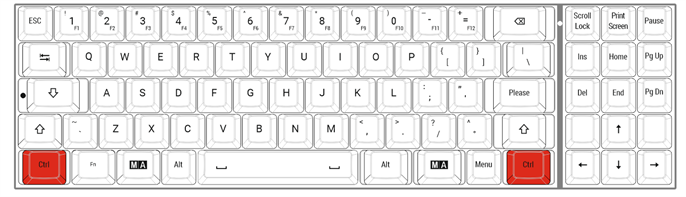
Location on grandMA3 full-size and grandMA3 light console