Edit Layout Elements
 | Important: |
| The grandMA3 system has a locking mechanism that temporarily prevents multiple users from editing the same object. For mor information, see: Object Ownership. |
To edit a layout element:
- Tap Setup to enable the setup mode in the Layout View window.
- Tap
 and open the element with the 2 Finger Edit.
-Or-
- Tap Setup to activate the Layout Encoder Bar.
- Select the layout elements to edit in the Layout View window.
- Tap Edit Selected in the Layout Encoder Bar to open the layout element editor.
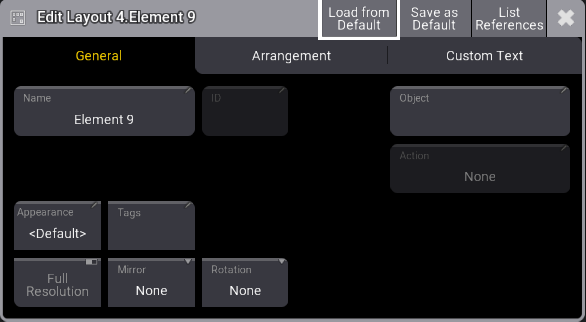
The Edit Layout window is separated into three tabs: General, Arrangement, and Custom Text.
General Tab
Section titled “General Tab”Manages all properties regarding the object assigned to the layout element.
Edit Layout Elements