Recipe Editor
The recipe editor with its multiple columns is part of recipes in cue parts, presets, and the Recipe Editor window. Besides minor differences, the recipe editor covers the same information in all three places.
For settings that are mutually exclusive for the recipe editor window, read Recipe Editor window.
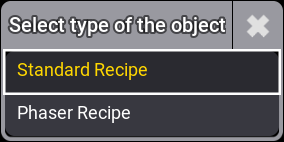
To create a new standard or phaser recipe, tap and hold the cell New Recipe, or select the cell and tap + on the top left side. A pop-up opens:
Alternatively, you can add recipes tapping Add Standard Recipe and Add Phaser Recipe on the right side of the context area. For more information on the context area, read below.