GridStore Function
The fixture types imported and patched in your show file may have been built with the right subfixture arrangement.
For example, Martin Professional Mac Aura PXL:
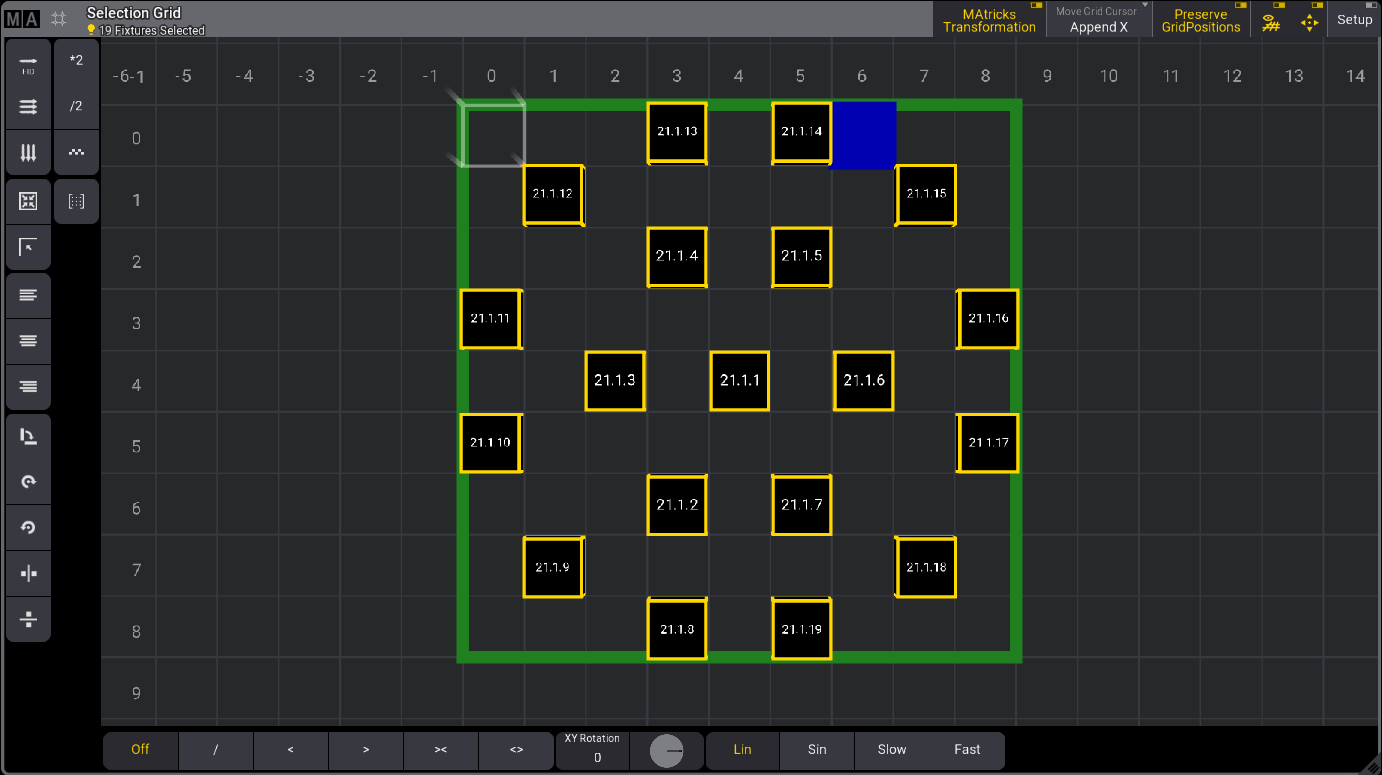
The fixture type editor sets the grid position of the subfixtures. For more information, see Build Fixture Types and Insert Geometries.
The grid position of subfixtures can also be transferred to fixture types using the GridStore keyword.
Requirements for the following example:
- One patched GLP JDC2 IP set to M4 - Segment 12-24 mode. See Patch and Fixture Setup.
- Set FID to 1.
- An open selection grid window.
Workflow:
- Select fixture 1.3 and press Down. The selection grid looks like this:
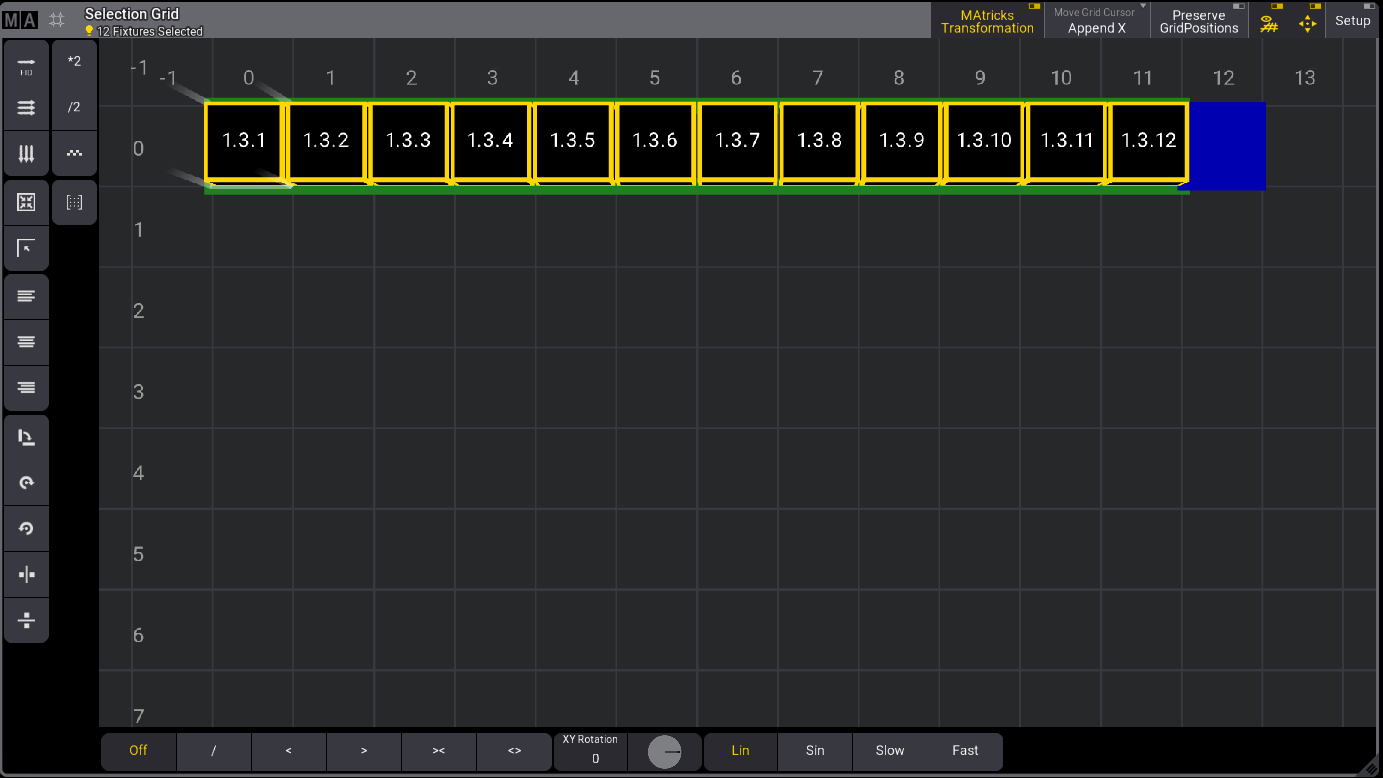
- Tap Setup to enter setup mode.
- Position the subfixtures and exit setup. For more information, see Selection Grid Setup Mode.
The selection grid could look like this:
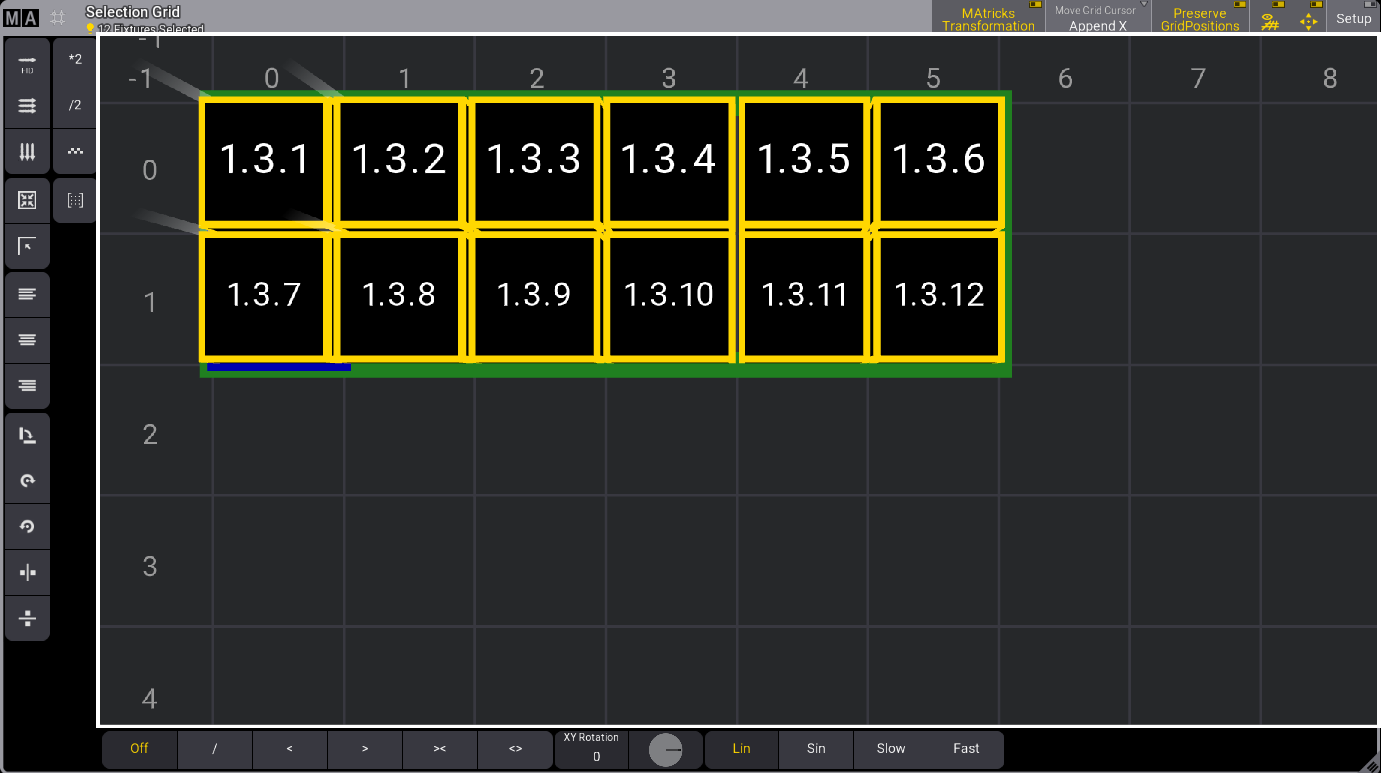
- Type the keyword GridStore in the command line and press Please.
The subfixtures grid positions are transferred to the fixture type in the show file.
The arrangement for the selected fixtures will apply to other fixtures of the same type.
You can use the grid settings per fixture when the same fixture type is used, for example, hung and in a floor position on stage. For more information, see Add Fixtures to the Show.