Import GDTF
Import a GDTF file (General Device Type Format) containing a fixture type description. GDTF provides a fixture’s digital footprint. Visit https://gdtf-share.com for more information.
The GDTF file is a zip file containing:
- Description
- Geometry data
- Gobo images
For a detailed description of GDTF, see the DIN specification 15800:2022 (https://www.beuth.de/de/technische-regel/din-spec-15800/349717520).
Import GDTF from the Console or Directly from the World Server
Section titled “Import GDTF from the Console or Directly from the World Server”Access grandMA3 fixture share and GDTF libraries directly when there is an active connection to a World Server (for more information, see World server),
- Open the patch menu by pressing Menu.
- Tap Patch.
- On the left side of the window, tap Fixture Types.
- Tap Import at the bottom of the window. The Select Fixture Type to Import pop-up opens.
- Enable the share button to list all fixture types sourced from the GDTF shared library.
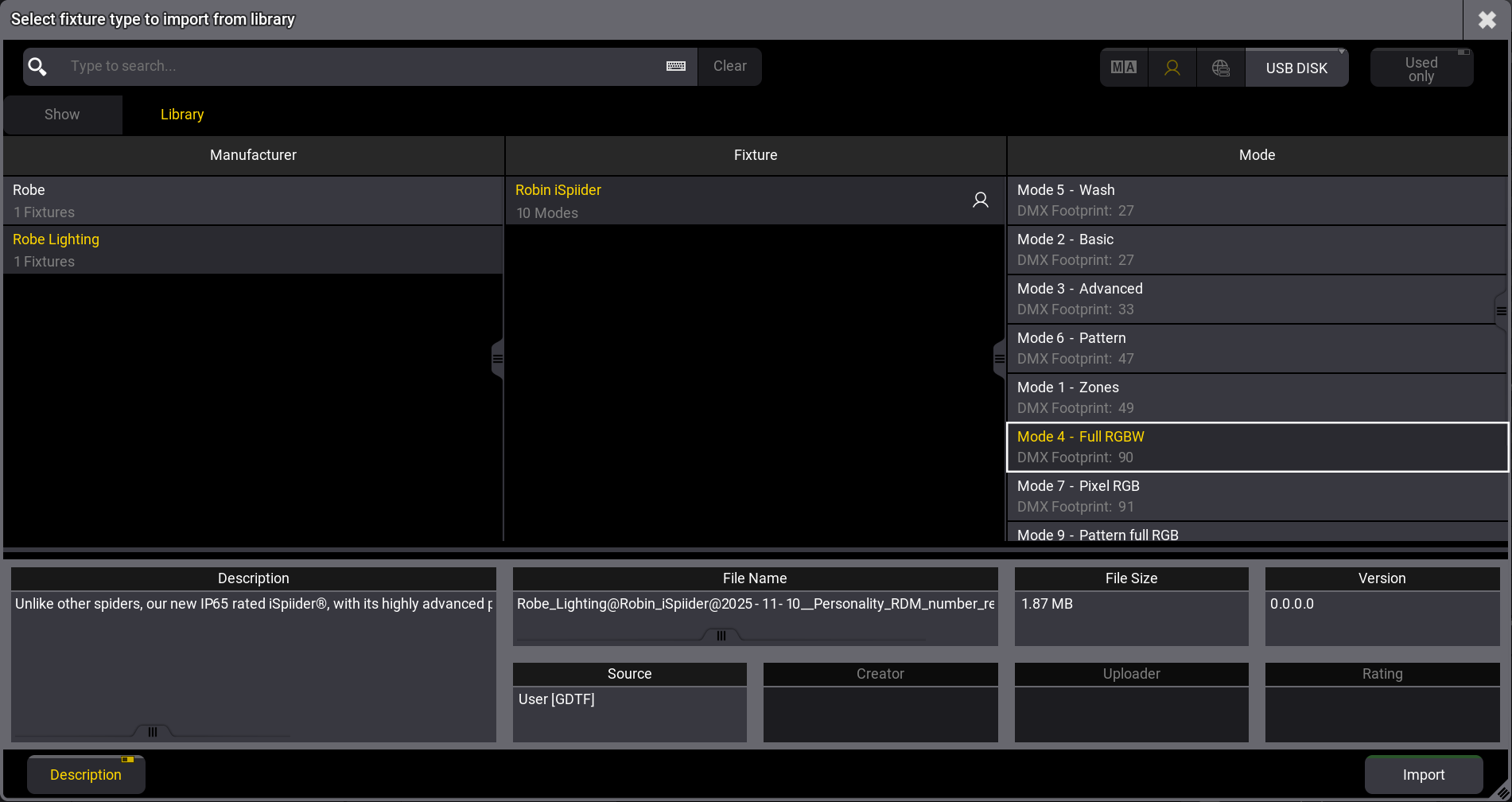
Select Fixture to Import from Library pop-up