Sheet Masking
Sheet masks are used to show or hide fixtures and attributes in specific sheets. Sheet masks can be used in the Fixture Sheet, the Content Sheet, and the Track Sheet. Filter and world objects can be assigned to mask sheets.
 | Hint: |
| The functionality for Programming Layers (prior Layers) in filter objects has not changed. Please note that programming layers are not compatible with sheet masking or input and output filtering. |
Create a Sheet Mask
Section titled “Create a Sheet Mask”A filter pool object including filter rules is required. For more information, see the Filter Rules section.
| Hint: |
| For this section, we will use the fixture sheet as an example, but the process for setting up sheet masks is the same for the content sheet and the track sheet. |
Tap MA and tap Mask Buttons to open the user interface for setting up masks, which could look like this:
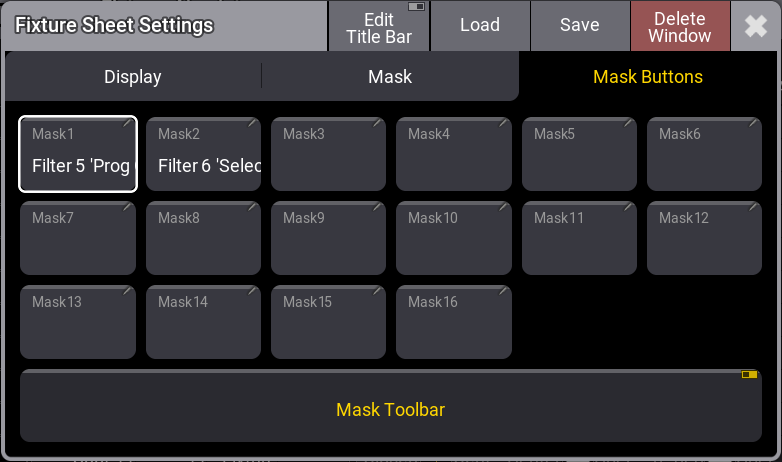
Fixture Sheet Settings - Mask Buttons
- Mask1-16:
This displays the assigned object for sheet masking. Tapping a sheet mask button, for example Mask 1, opens the Assignment Editor. - Mask Toolbar:
This enables the Mask Toolbar in the sheet. To display the mask toolbar in the sequence sheet, Track Sheet must be enabled.