Edit Layout View
To open the layout view, follow the instructions under Add Windows.
In the Add Window pop-up:
- Tap Tools.
- Tap Layout Viewer.
The layout view opens.
 | Important: |
| When Setup is enabled, it allows the editing of single layout elements. When disabled, it provides editing as in the programmer. |
Add a Layout Element
Tap Setup in the layout viewer window title bar to enable the setup mode. The toolbar is displayed on the left side of the window.
- To add a layout element in the layout window, tap +.
- Tap or tap and drag an empty area in the window, and a new empty layout element is added. (Empty yellow square)
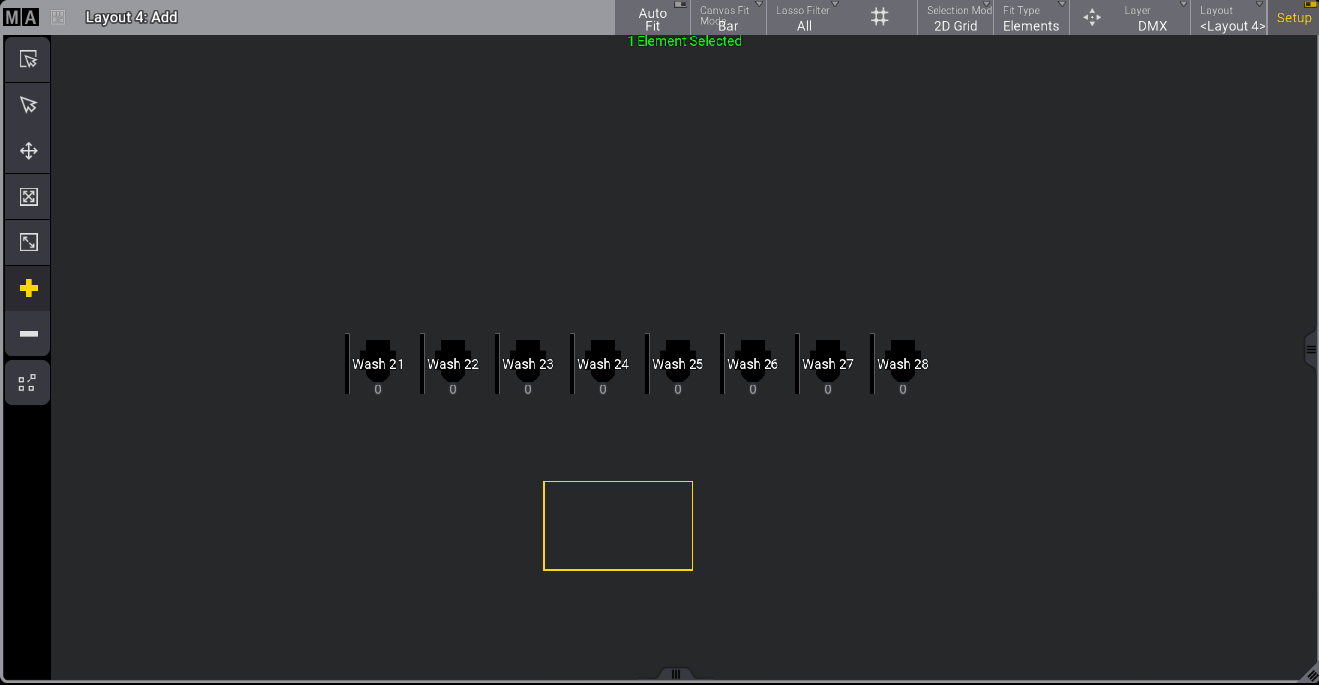
Layout viewer with setup mode enabled
- To assign an object to the element you created in the layout, open the new element with the 2 Finger Edit or press Edit and tap the new element.
The edit layout element pop-up opens:
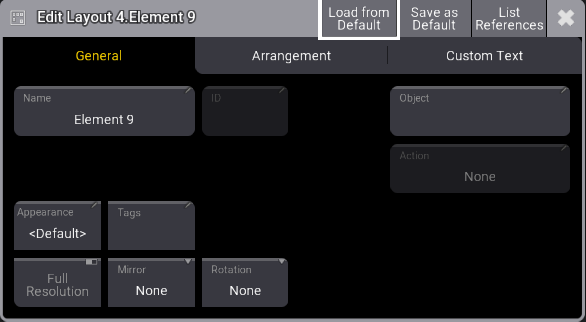
Edit Layout element menu