Edit Groups
To edit a group, use one of the following methods:
- The EditSetting keyword.
- Press Edit twice and then tap a group pool object.
- Open the swipey commands on the pool object and choose Edit Setting.
The Edit Group pop-up opens.
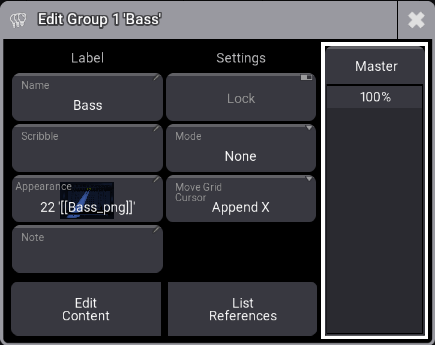
Edit group pop-up.
The editor has two columns, Label and Settings.
Use the Master fader on the right to control one of the four group master types. Read more in the Group Masters topic.
Here is a description of the left buttons under the Label column:
Name:
The group name. To change a group name, use the Label command. For more information, see Label keyword.
Scribble and Appearance:
Can be assigned using these two buttons. For more information, see Scribble and Appearances.
Note:
For more information, see Notes.
Lock:
When toggled on, Name, Scribble, Appearance, Mode, and Move Grid Cursor are disabled.
Mode:
Tap to select one of the four group master modes. For more information, see Group Masters.
**Move Grid Cursor:
**For more information, see Selection Grid and User Settings.